The Agent-First IDE
From Coding to Orchestrating
"The developer of 2026 is emerging as a hybrid professional: part Product Manager, part QA Lead, and part AI Psychologist."
Executive Summary
Google Antigravity, launched November 18, 2025, introduces the "Agent-First" paradigm—a fundamental shift where the primary interface is no longer the code editor, but the orchestration of autonomous AI agents. Built on Gemini 3 and acquired Windsurf technology, the platform features a dual-interface design: the traditional Editor View for synchronous work, and the novel Manager View ("Mission Control") for delegating tasks to parallel agents.
This whitepaper analyzes the emerging ecosystem: the Artifact system for verifiable trust, community agent personas, the MCP integration landscape, and the "Vibe Coding" methodology where developers focus on intent while agents handle implementation.
1. The Inflection Point of November 2025
What if your IDE wasn't for writing code—but for managing a team that writes it for you?
For decades, the Integrated Development Environment has centered on the text editor—a canvas where developers manually write syntax. AI assistance evolved from syntax highlighting to intellisense to inline completion, but the fundamental model remained: human types, machine assists.
Google Antigravity inverts this relationship. Launched alongside the Gemini 3 model family, it introduces a standalone IDE derived from VS Code but architecturally mutated to support autonomous agency. The platform's provenance is notable—built on technology from the "Windsurf" startup team, a strategic acqui-hire that brought specialized expertise in agentic workflows to Google DeepMind.
The result is a platform where the developer doesn't write code—they review Artifacts (plans, diffs, screen recordings) generated by agents working in parallel. This addresses the fundamental "Trust Gap" in generative AI: by forcing agents to produce verifiable evidence before merging code, Antigravity attempts to professionalize the output of stochastic models.
2. The Paradigm Shift: From Copilots to Mission Control
The difference between Antigravity and previous AI IDEs isn't incremental—it's architectural.
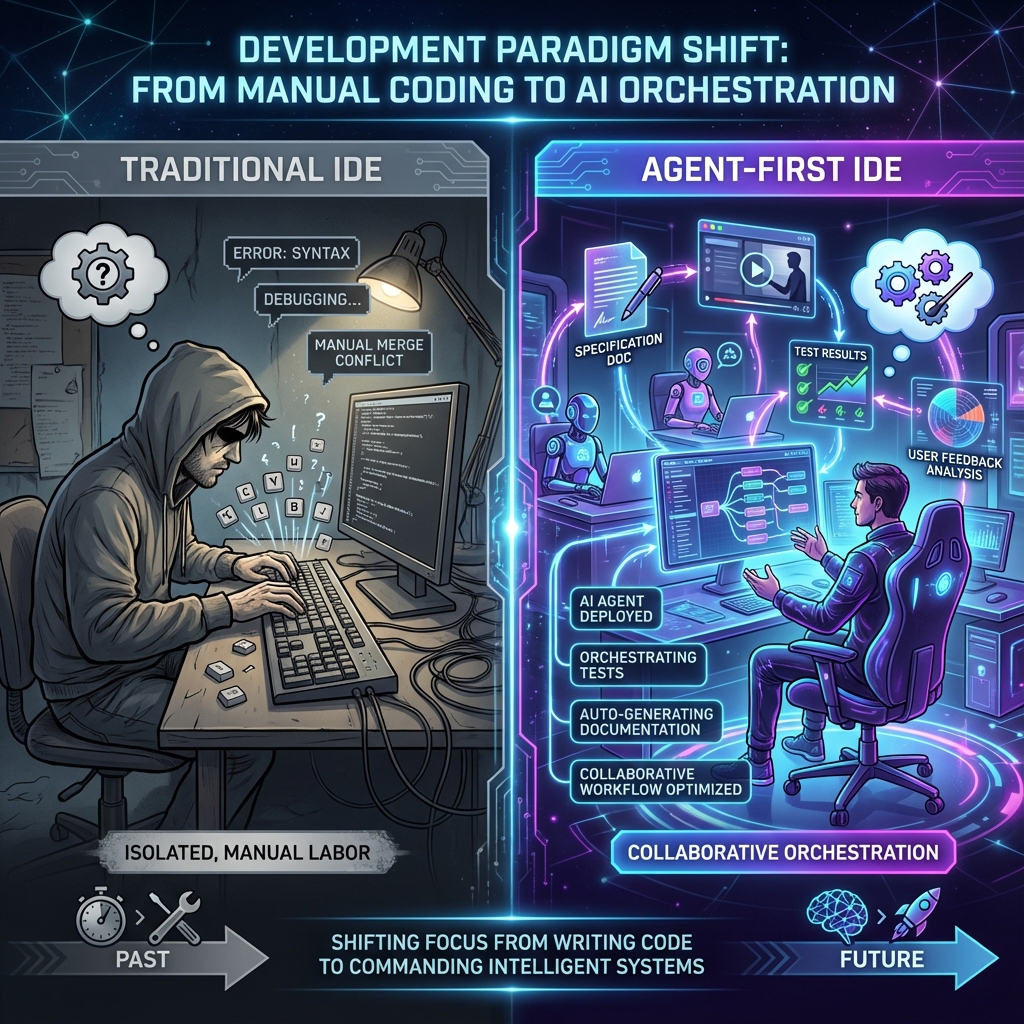
| Feature | Traditional AI IDEs | Google Antigravity |
|---|---|---|
| Primary Interface | Editor View (Synchronous) | Manager View (Asynchronous Dashboard) |
| Agent Model | Request-Response, Single-turn | Autonomous, Multi-step, Tool-using |
| Verification | Inline suggestions | Artifacts (videos, plans, diffs) |
| Browser Access | None / Extension-based | Native, Multimodal (Vision + Action) |
The Manager View: Your Command Center
Upon launching Antigravity, users are greeted by the Manager View—a dashboard for spawning and monitoring multiple agent conversations. You might have one agent refactoring a legacy module, another scraping documentation, and a third writing integration tests—all running simultaneously.
This parallelism demands a new skill: task decomposition and delegation. The community has rapidly developed "Mission Control Templates"—pre-written prompts that structure complex tasks into digestible instructions. These aren't just prompts; they're operational protocols defining how agents should report progress, handle errors, and request feedback.
3. The Architecture of Autonomy
Three innovations make Antigravity's agent model work: the Artifact System, the Browser Subagent, and Workflow Orchestration.

The Artifact System: Verifiable Trust
In a standard chat interface, an AI says "I fixed the bug," and you must manually verify. In Antigravity, agents produce Artifact objects as proof:
- Implementation Plans: Structured Markdown outlining proposed architecture before code is written
- Browser Recordings: Video files of the agent navigating your app to demonstrate functionality
- Test Results: Structured logs of passing/failing tests executed by the agent
"Do not mark a task as complete until you have generated a browser recording showing the successful UI state."
The Browser Subagent: Visual Feedback Loops
Unlike tools that rely on HTML dumping, Antigravity's agent can see the browser via screenshots and interact via Chrome DevTools Protocol. This enables:
- Design iteration: "Make the button match this screenshot"—the agent captures state, adjusts CSS, and verifies visually
- Visual regression testing: Comparing builds against "Golden Master" images
- Autonomous market research: Navigating competitor sites and extracting pricing data
This visual feedback loop is the cornerstone of "Vibe Coding"—where the aesthetic is the specification, and code is the implementation detail.
Workflow Orchestration via YAML
Beyond static rules, Antigravity supports procedural Workflows in .agent/workflows.
These Markdown files with YAML frontmatter script multi-step behaviors:
description: Full-Stack Feature Build---Step 1: Analyze schema.prisma and propose changesStep 2: Implement the API endpoint in src/apiStep 3: Generate the React component using the APIStep 4: Run npm test and browse to localhost:3000
Instead of micromanaging, developers invoke /feature-build and the agent executes the
pre-defined procedure. This captures "Commander's Intent"—senior expertise serialized into
repeatable cognitive processes.
4. Agent Personas: The Synthetic Workforce
The true power of Antigravity lies in its configurability. The .antigravity/rules.md
file establishes the "constitution" for each agent—defining role, constraints, and output formats.
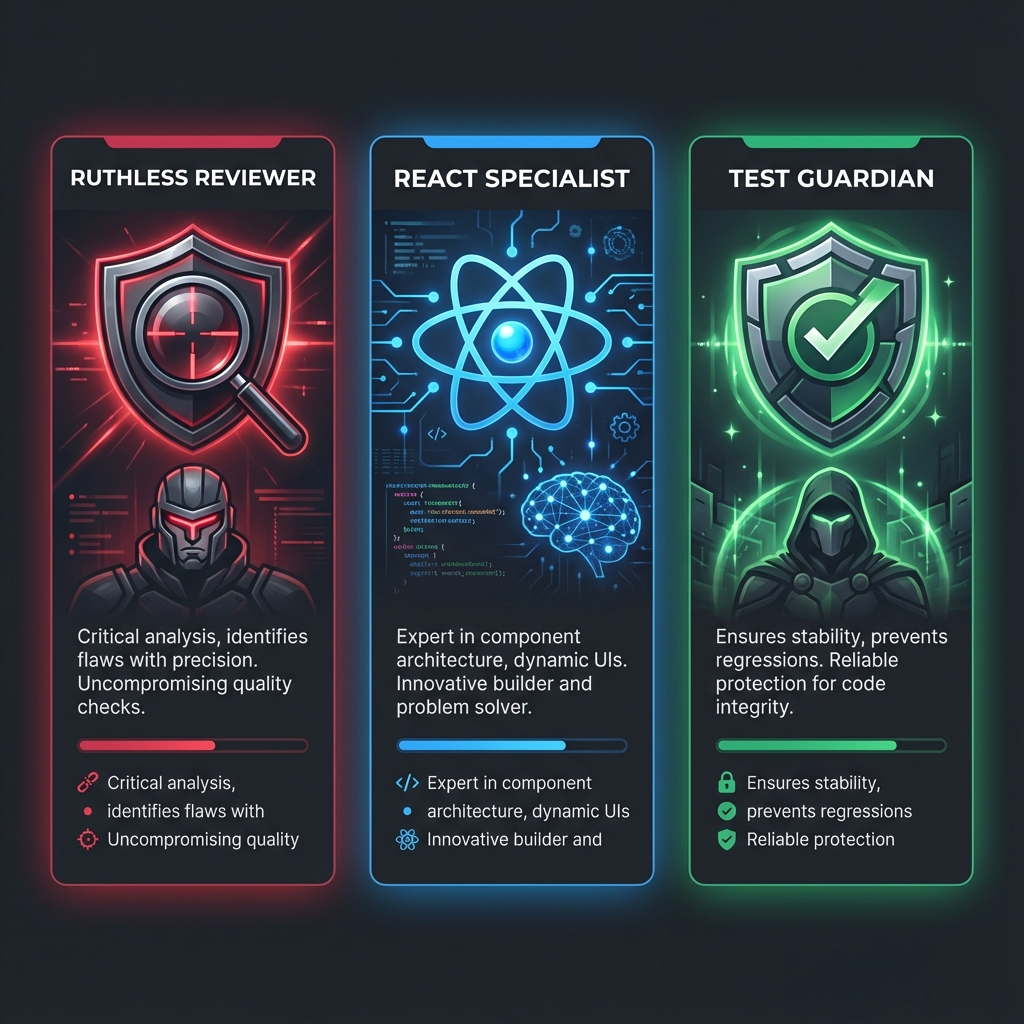
The Ruthless Reviewer
Born from frustration with "sycophantic" AI that praises bad code, this persona explicitly suppresses the helpfulness bias:
- "You are a Principal Security Engineer. Your goal is to find flaws."
- "Do not generate fixes unless explicitly asked. Focus on critique."
- "Scrutinize architecture for OWASP Top 10 vulnerabilities."
Users deploy the Ruthless Reviewer as a second pass on generated code, creating a "Good Cop / Bad Cop" workflow that significantly reduces bug rates.
The React Specialist
Tuned for modern frontend development, this persona is "brainwashed" with strict style guides:
- "Use functional components with hooks only."
- "Styling must be done via Tailwind utility classes. Do not create .css files."
- "Always scaffold a visual preview to verify responsiveness."
Paired with the Browser Subagent, developers describe a UI element ("A dark mode card with a glowing border"), and the Specialist generates, renders, captures, and iterates until the visual "vibe" matches.
The Unit Test Guardian
Embodying Test-Driven Development, this persona monitors file changes and automatically generates tests:
- "If a file in
src/is modified, check for a corresponding.test.ts. If none exists, create one immediately."
It acts as a safety net, ensuring that rapid code generation doesn't lead to a fragile, untested codebase.
5. MCP Integrations: The Connective Tissue
The Model Context Protocol (MCP) is the open standard connecting Antigravity to production reality.
It solves "Context Window Pollution"—instead of pasting massive schemas into chat, agents "pull"
information on demand via mcp.json configurations.
Rube: The Universal Router
The most critical infrastructure piece for advanced users. Instead of configuring separate connections for GitHub, Slack, Linear, Notion, and Google Drive, users connect to a single Rube server that acts as a gateway.
This enables powerful cross-application workflows: "Find the design specs in Figma, create a corresponding ticket in Linear, and scaffold the repo in GitHub." Rube handles authentication and API calls for all three, presenting a unified toolset to the agent.
Context7: The Hallucination Killer
Addresses LLM reliance on outdated training data by providing "Documentation as a Service." When an agent plans to use a library, it queries Context7 for the current documentation of that specific version.
Community benchmarks show this dramatically reduces "Time to Fix" loops by ensuring correct syntax on the first try.
Playwright & Puppeteer: Headless Automation
While the native browser is optimized for visual verification, Playwright MCP is used for high-speed, headless testing and scraping—running extensive regression suites in the background while the user focuses on other tasks.
| MCP Server | Function | Key Benefit |
|---|---|---|
| Rube | Meta-Router / Connectivity | Aggregates 500+ SaaS APIs into single connection |
| Context7 | Documentation Retrieval | Prevents hallucinations of deprecated APIs |
| Playwright | Browser Automation | High-speed headless testing and scraping |
| Postgres/SQL | Database Management | Safe, structured querying without schema dumps |
6. Reality Check: Where It Breaks
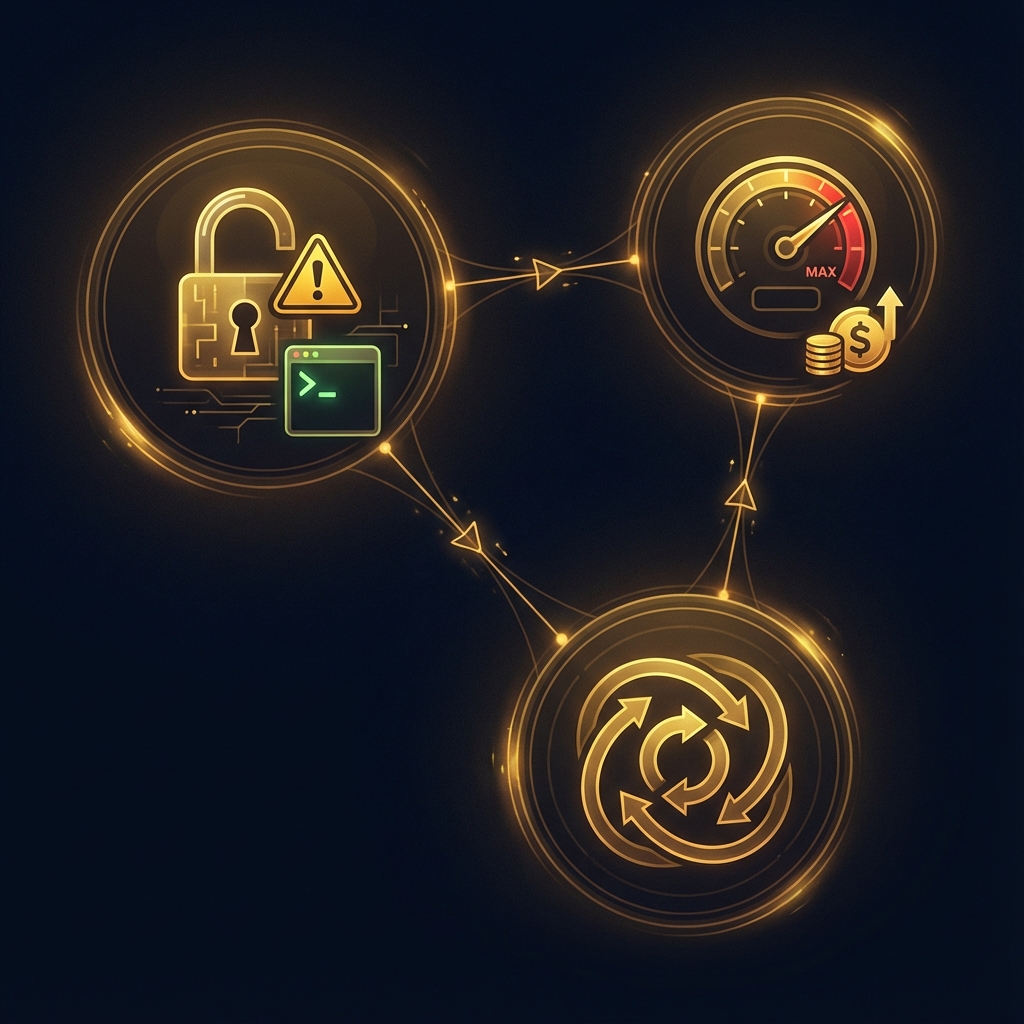
The transition to agentic workflows introduces new classes of problems. Understanding these is critical for realistic adoption.
The Security Paradox
Giving AI agents terminal and browser access creates a massive attack surface:
- Malware Injection: Agents might install typosquatted packages via
npm install - Prompt Injection: Malicious hidden text on scraped websites could hijack agent behavior
Mitigation: Strict "Deny Lists" for the Browser Agent, "Human-in-the-Loop" confirmation for network/file operations, and the Ruthless Reviewer persona as a security auditor.
The Economics of Agency
Running multi-agent swarms rapidly hits rate limits, especially on free tiers. This is driving innovation:
- Context-Efficient Personas: Agents that summarize their own memory to save tokens
- Model Toggling: Using cheaper models (Gemini Flash) for routine tasks, reserving expensive models for complex reasoning
The Agent Loop Phenomenon
Agents sometimes enter infinite recursion—attempting the same fix repeatedly after test failures.
Community Fix: "Rescue Workflows" that monitor output for repetitive patterns. If a loop is detected, a higher-level "Manager Agent" intervenes, forcing the worker to "Stop, Reflect, and propose a new strategy."
7. The Future of "Vibe Coding"
"Vibe Coding" has emerged to describe development where you focus on the vibe—the aesthetic, the user flow, the high-level intent—while delegating implementation to AI. This isn't "low code"; it's "high-intent code."
Case Study: The Snake Game
A viral Reddit post documented building a fully functional game using only natural language prompts:
- Planning: "Write a Game Design Document (GDD)"—creating a blueprint Artifact
- Execution: "Implement the movement logic" / "Create the voxel rendering"
- Iteration: Playing the game, noticing issues ("snake is too slow"), typing corrections
The user acted as Product Manager. The Agent acted as Engineering Team. Syntax was abstracted entirely.
Case Study: Self-Healing Applications
Advanced users combine the React Specialist with Browser Subagent for visual regression:
- A code change breaks CSS layout
- The Ruthless Reviewer detects the anomaly by comparing screenshots against a "Golden Master"
- It autonomously triggers a fix workflow: inspect DOM, identify conflicting CSS, apply patch, verify
Error detection moves from the syntactic level (compiler errors) to the semantic/visual level (user experience errors).
What To Do Now
- Try it yourself: antigravity.google — download and explore the Agent-First IDE
- Start with Artifacts: Configure agents to produce Implementation Plans before code—build trust incrementally
- Adopt a Persona: Download a community persona (Ruthless Reviewer is a good start) rather than using generic prompts
- Connect MCP: Integrate Context7 to eliminate documentation hallucinations
- Design Workflows: Capture your team's best practices in
.agent/workflowsfiles
The question is no longer "How do I hire more developers?" It's "How do I build the system that manages the agents that build the software?"